

Plan Right.Spend Bright.
A smarter way to budget, stay on track, and spend with confidence.
Coming soon to iOS and Android.


The problem
Ever wonder where your money went?
But more importantly — how much can you safely spend?
Bank balance
$4,250
Already spoken for
−$2,970
Bills, budgets and goals
Safe to spend
$1,280
Your balance doesn't tell the whole story. Bills still to come, your budgets and your savings goals all change what you can actually spend.
Spend what's safe. Not what's left.
How it works
From budget to confidence.
01Plan
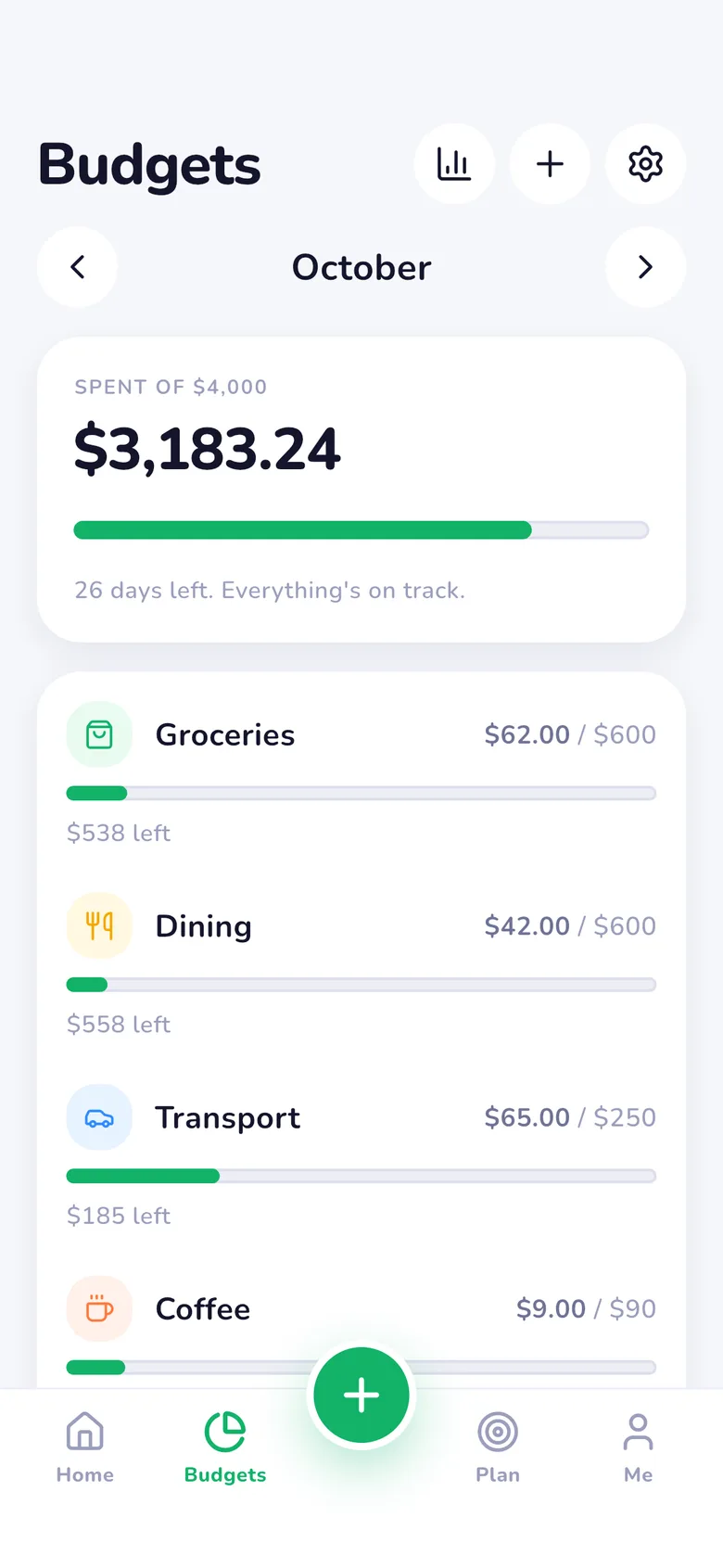
Set your budget for the month.
Monthly limits for the things that matter, inside one overall budget — and your month can start on payday.
02Track
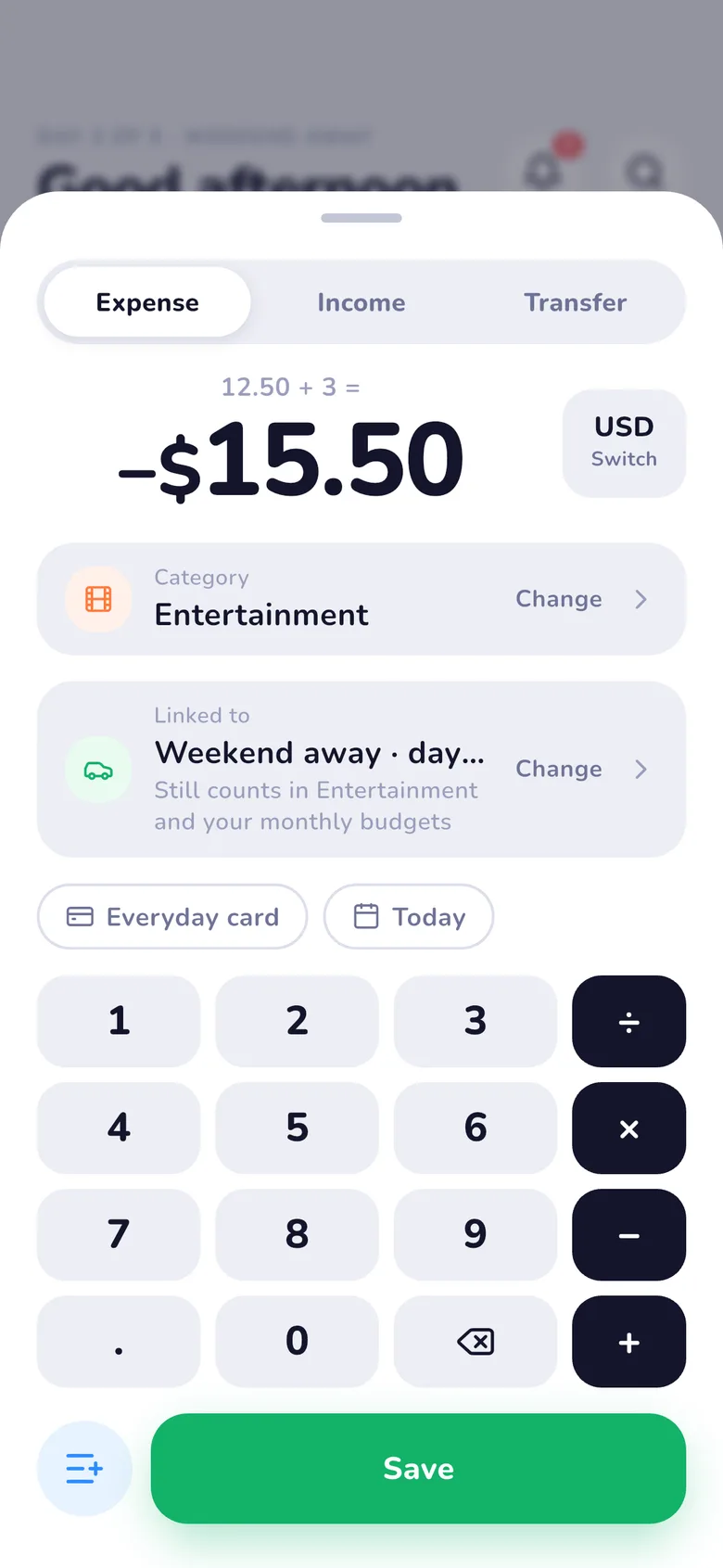
Log every spend in three taps.
The keypad comes first and does the maths — type 12.50 + 3. Your last account and today are already filled in. Undo is one tap.
03Know
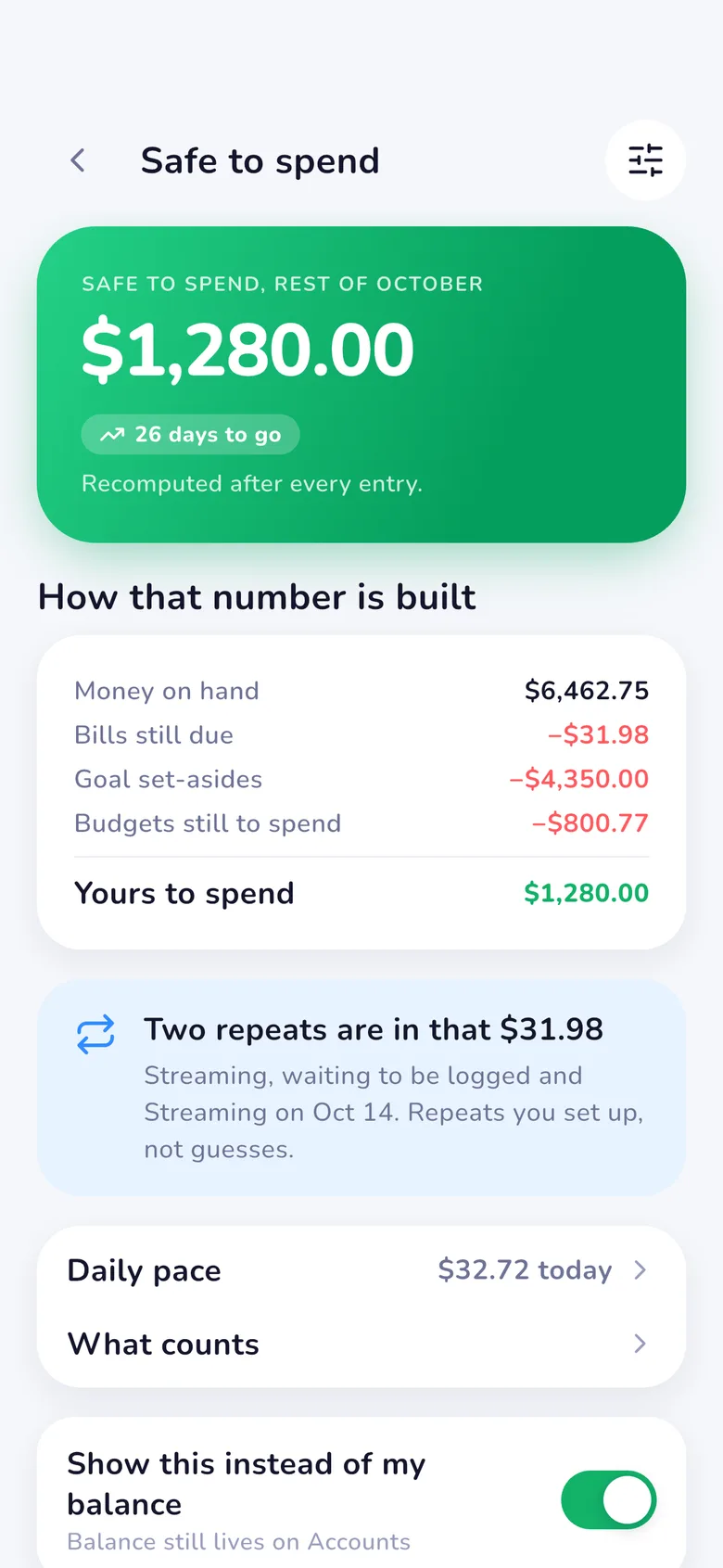
See what's safe to spend.
MiSpend turns your budget, your bills and your goals into one number you can act on, recomputed after every entry.


Safe to spend
Know what you can spend.
Then daily pace splits it over the days left — overspend today, and tomorrow adjusts.
Turn your entire budget into one simple number.
Your money has a plan. MiSpend works it out from:
- What's in your spending accounts
- Bills and repeats still due this month
- What your goals set aside
- What your budgets still have to spend, rollover included
Safe to spend
$1,280.00
Budgeting
A budget that works the way you do.
Monthly budgets. Rollover. Goals. Trips and events.
Monthly budgets
Set spending limits for the things that matter. A nudge comes at 80%.
Rollover
Let unused budget carry into next month when you need it.
+$120 carried
from last month
Goals
Put money aside for what you're planning next, with the pace to get there.
Trips & events
Give a holiday, a wedding or a weekend away its own budget, in its own currency, split into envelopes.


Spending intelligence
Don't just track your spending. Understand it.
Trends, categories and a heads-up when something looks unusual — all worked out on your phone.
Spending trends
Every month side by side, over any range.
Unusual spending
You spent 42% more on dining this week.
Where it went
Food is 18% of your spending this month.
Features
Everything you need to stay on top of your money.
Track
Every spend, in a few taps.
- Expenses & income
- Accounts
- Transfers
- Multi-currency
Plan
Money with a job to do.
- Safe to spend
- Budgets & rollover
- Recurring bills
- Trips & events
Understand
See where it goes.
- Spending trends
- Spending calendar
- Unusual spending
- Search & filters
Keep it safe
Your data, your device.
- Face ID & Touch ID lock
- Backup & restore
- Excel reports
- Categories & labels
At home on any screen.
Upright or on its side, phone, tablet or a wide window — MiSpend rearranges itself to use the space, with a side rail and two columns when there's room.
- Phone, upright
- Phone, on its side
- Tablet, upright
- Tablet, on its side
- Wide windows


Privacy
Your money is yours.
MiSpend works offline and keeps your financial data on your device, encrypted — no account, no bank login, no constant connection.
- Offline-first
- Private
- Biometric lock
Never leaves your phone
- Amounts
- Categories
- Notes
- Receipts
- Accounts
Leaves, without your records
- Currency codes, to fetch exchange rates
- Ad requests — only without Remove ads, and with your consent choices
- Your purchase, under an anonymous ID
- Crash reports, stripped of anything you typed
Pricing
Free. Remove ads once, if you like.
Free
$0
- Every feature
- Backup and restore
- A banner and a few well-placed ads
- Excel exports after a short video
Remove ads
$4.99 once
- No ads, anywhere
- Excel exports with no video — even offline
Price in the US; your App Store shows your local price. No subscription.
Questions
Do I need an account?
Is my data uploaded anywhere?
Does it connect to my bank?
What happens when I change phones?
Does it work offline?
What does Remove ads do, and is it a subscription?
Which languages and currencies?
Is there an Android version?

Plan Right.Spend Bright.
Know what you can spend before you spend it.
Get MiSpend- Coming soon on theApp Store
- Coming soon onGoogle Play
Coming soon on iOS and Android